

Look for burned ports, no power to outlets, missing indicator light, or a failed test.
I’ve worked with home and office electronics for years, and I’ll show practical ways to spot problems and test a unit so you can know for sure how to tell if surge protector is bad. This guide explains common signs, safe tests you can do at home, when to replace a unit, and tips from real life to keep your gear safe.
Why surge protectors fail and what that means for your gear
Surge protectors are not built to last forever. They use parts called metal-oxide varistors (MOVs) that absorb spikes. Over time, these parts wear out. Big surges can exhaust the protective parts in one hit.
When a surge protector stops working, it may still feed power like a plain power strip. That gives a false sense of security. Knowing how to tell if surge protector is bad helps you avoid damage to your devices and unexpected failures.
Common signs: how to tell if surge protector is bad
Spotting trouble early protects expensive gear. Here are clear signs a unit is failing.
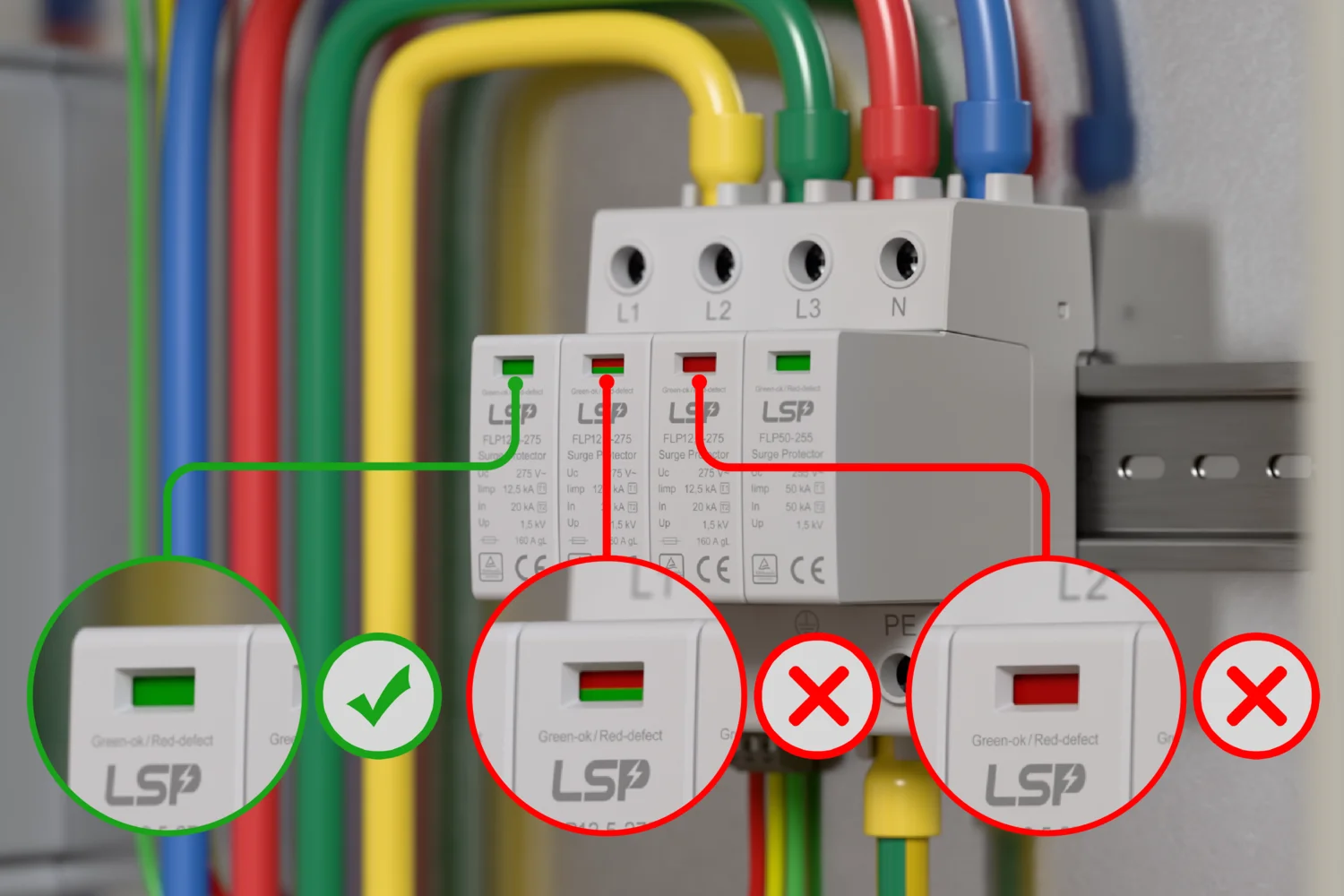
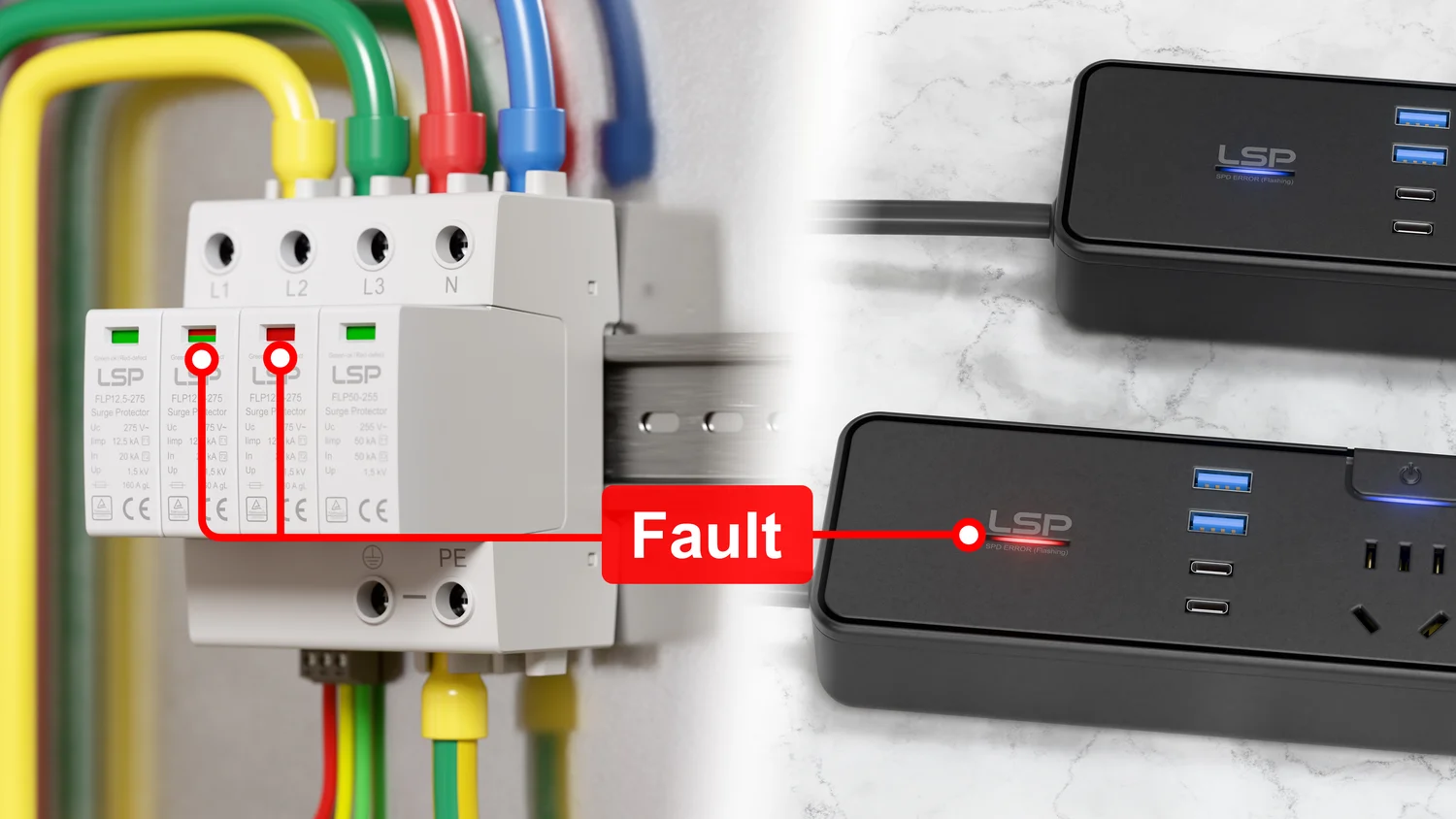
- No indicator light or a dim light — Many units have a protected/grounded light. If it’s off, protection may be gone.
- Burn marks or a strong burnt smell — Visible damage means replace now.
- Warm or hot casing during light use — Heat can mean internal damage.
- Tripping breakers or frequent fuse blows — This can indicate internal failure.
- Ports not powering devices despite power present — The unit may have failed internally.
- Test button won’t click or resets immediately — The internal switch might be broken.
- After a known surge, protection stops working — A big surge can consume protection in one event.
- Older than 3–5 years with heavy use — Age reduces reliability.
If you’re asking how to tell if surge protector is bad, these signs are the most reliable starting points.

How to test your surge protector safely
Testing is the best way to know. Follow safe steps and use simple tools.
-
Visual check first
- Unplug everything and look for burns, cracked plastic, or melted plugs.
- Smell the unit for any lingering burnt odor.
-
Check the indicator lights
- Plug the unit into a known working outlet.
- If the protected/ground light stays off, the protector likely lost its protection.
-
Use a surge protector tester or outlet tester
- Plug a surge protector tester into the surge protector. The tester will show wiring and ground issues.
- A surge-specific tester can check MOV function and protection status more directly.
-
Multimeter continuity test (for grounded wiring)
- Set a multimeter to continuity.
- Test hot to neutral and hot to ground at the protector outlets to confirm correct wiring.
- If wiring is wrong, call an electrician.
-
Use a dedicated surge tester device for best results
- A surge tester simulates spikes and measures clamping. It gives a clear pass/fail result.
- These are quick and remove guesswork.
-
Do not open sealed units
- Opening a sealed surge protector voids safety features and risks shock.
- If you suspect internal damage, replace the unit.
If you want to know precisely how to tell if surge protector is bad, a surge tester plus visual inspection gives the clearest answer.
When to replace a surge protector
Replacing at the right time protects your devices. Follow these rules.
- Replace after a major lightning strike or power surge — A single event can render protection useless.
- Replace if indicator light is off — That usually signals lost protection.
- Replace if you see physical damage or smell burning — Safety risk is high.
- Replace every 3–5 years for heavy use or high-risk areas — MOVs degrade over time.
- Replace if the unit is old and low joule rating — Modern gear needs better protection.
Remember: a surge protector that still powers devices might not protect them. That’s why knowing how to tell if surge protector is bad matters.

Practical tips, buying advice, and real-world experience
I once trusted an old surge protector for my home office. It looked fine but failed to protect my monitor after a small surge. I learned to check the protection light and replace units after any big surge. Here are tips from that experience.
- Choose a unit with a clear protected indicator light and audible alarm.
- Buy a surge protector with a higher joule rating for sensitive gear.
- Consider models with replaceable modules or warranties that cover connected equipment.
- Keep surge protectors off carpets and away from heat sources to avoid damage.
- Label surge protectors with the purchase date so you know age at a glance.
If you want to learn how to tell if surge protector is bad, treat the indicator light as your first line of defense and test regularly.
Frequently Asked Questions of how to tell if surge protector is bad
How long does a surge protector last?
Most surge protectors last 3–5 years under normal use, but heavy use or big surges can shorten that life. Always follow the manufacturer’s guidance and replace if protection light fails.
Can a surge protector look fine but be bad?
Yes. A surge protector can power devices yet have lost surge protection. Indicator lights and testing are needed to confirm protection.
Does the reset or test button prove protection works?
The test button helps check the protective circuit, but it’s not a full proof test. Use a surge tester or check the protected indicator for better assurance.
Can I test a surge protector with a multimeter?
You can check wiring and continuity with a multimeter, but it won’t confirm MOV health. A surge-specific tester is better to verify protection.
Is it safe to keep using a surge protector after a storm?
No. After any strong surge or lightning nearby, replace or test the surge protector to confirm it still protects your gear.
Conclusion
Knowing how to tell if surge protector is bad keeps your electronics safe and your mind at ease. Look for indicator lights, physical damage, heat, or signs after a surge. Test with a surge tester or an outlet tester when in doubt, and replace older or damaged units promptly. Take action today: check your surge protectors, label their install date, and replace any that show trouble. Leave a comment if you want help picking the right protector or testing steps for your setup.